
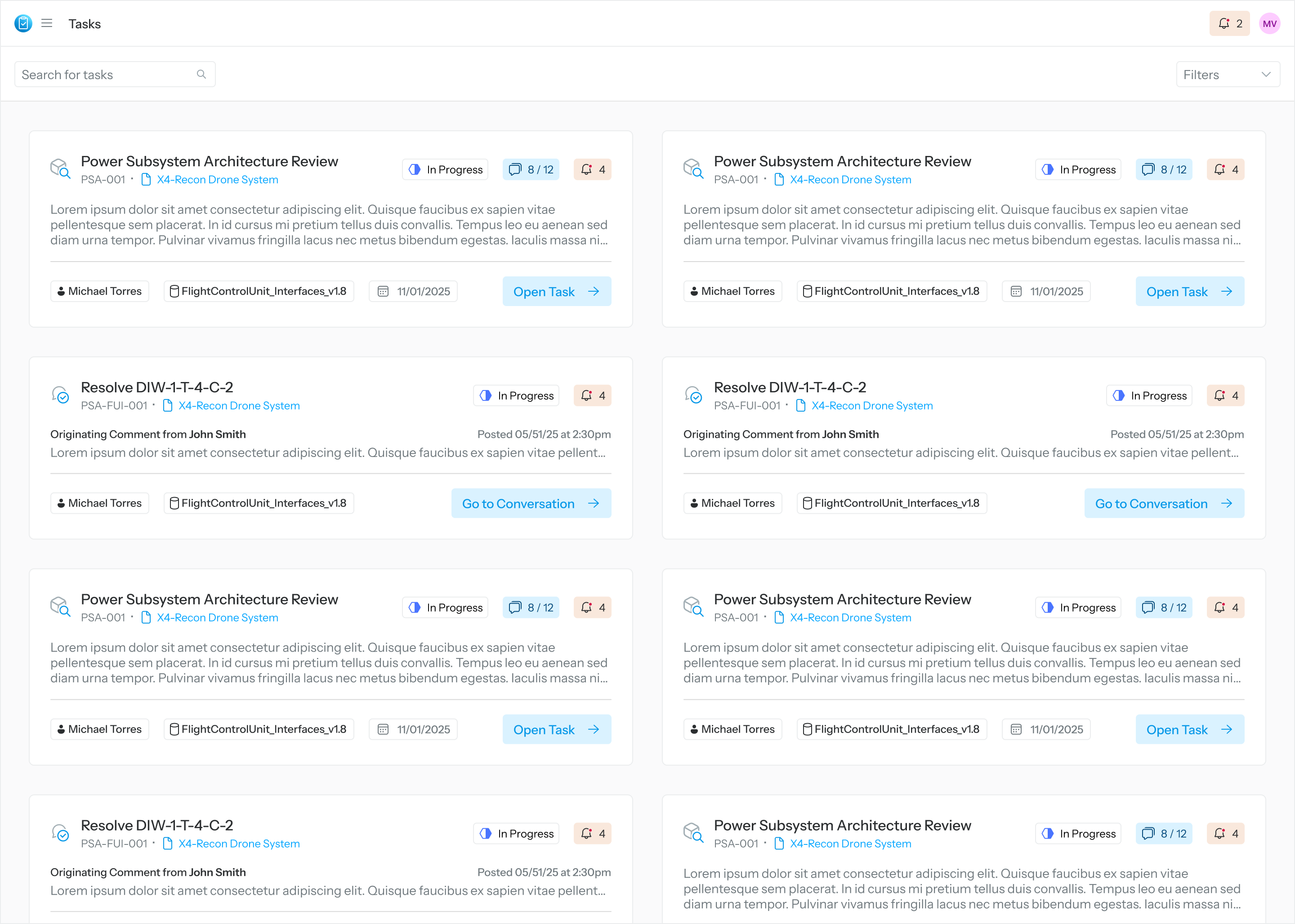
User’s Landing Page
When the user first logs in, they will see all tasks assigned to them along with any mentions from conversations. To start working on a task, select Open Task, Go to Conversation, Go to Mention.
How to Find Tasks
-
Search: Enter keywords related to task information
-
Filter: Narrow down tasks by criteria
-
Card Type: Comment Resolution, Model Review, User Mention
-
Task Status: Not Started, In Progress, Complete, Closed, Incomplete, Locked for Edit
-
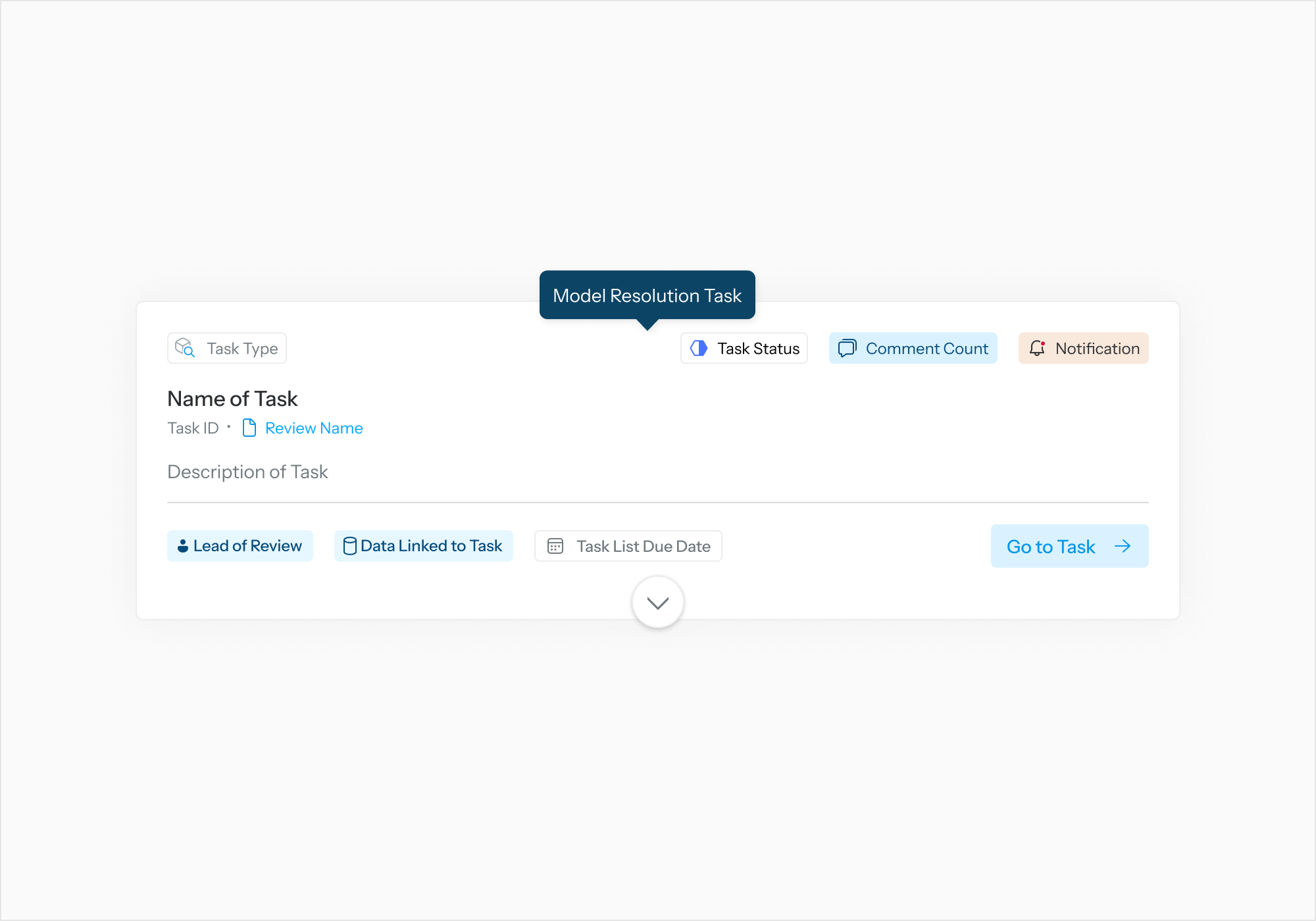
Model Resolution Task Card
-
Title: Name of Task – Displays the task name.
-
Task Type: Indicates the category or type of task
-
Task ID: Unique identifier for the task
-
Review Name (link): Clickable link to the associated review
-
Description: Description of the task
-
Badges
-
Task Status – Shows the current status of the task
-
Comment Count – Indicates the number of comments
-
Notification – Shows if there are notifications
-
Lead of Review – Displays the review lead
-
Data Linked to Task – Indicates associated data
-
Task List Due Date – Shows the due date for the task list
-
-
Go to Task: Action button to navigate to the task
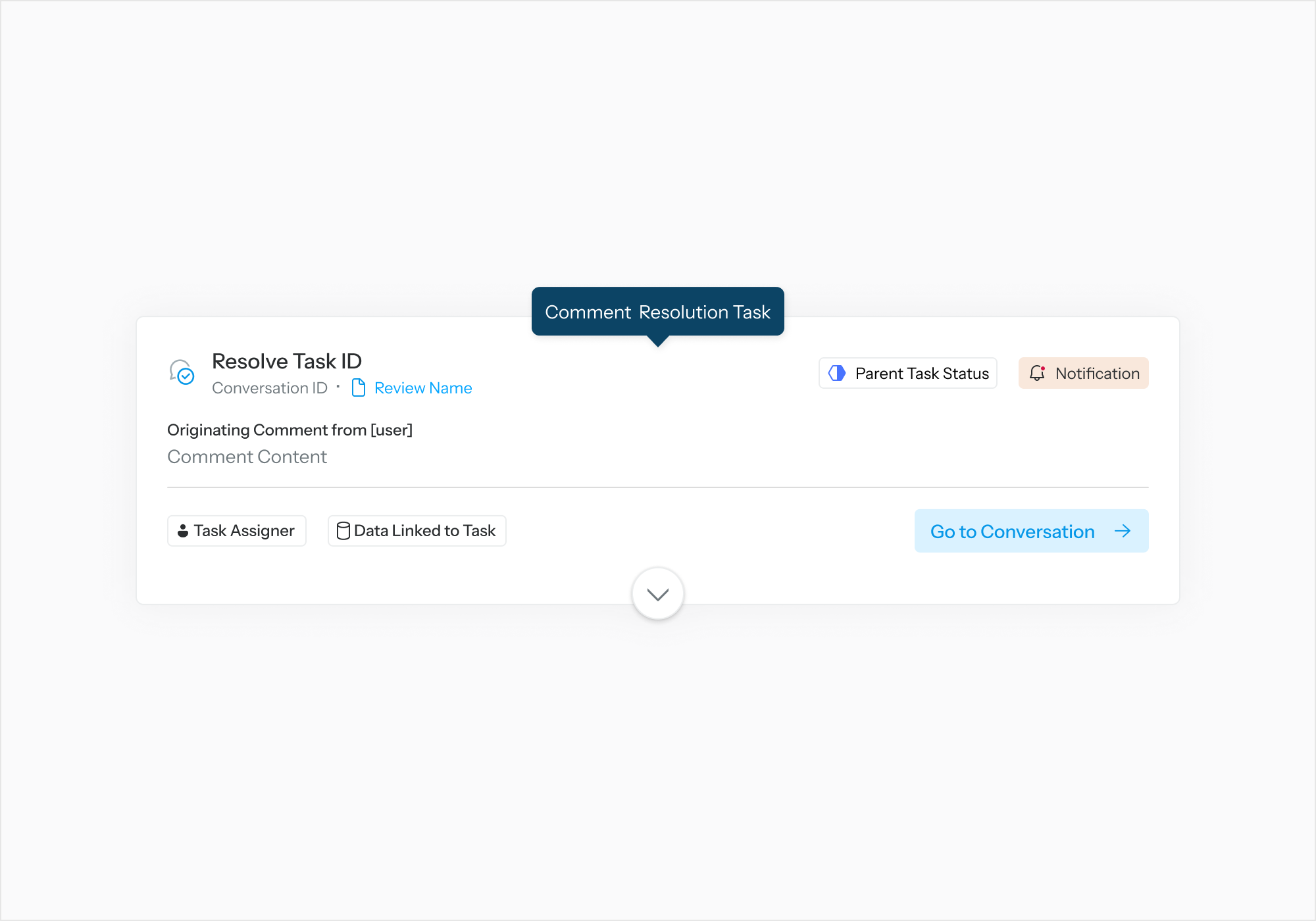
Comment Resolution Task Card
-
Title: Resolve Task ID – Indicates the parent task
-
Conversation ID: Unique identifier for the conversation linked to this task
-
Review Name (link): Clickable link to the associated review
-
Originating Comment: Displays the comment content, user who made the comment, and when the comment was authored
-
Badges
-
Parent Task Status – Shows the status of the parent task
-
Notification – Indicates if there are notifications related to this task
-
Task Assigner – Shows who assigned the task
-
Data Linked to Task – Indicates associated data
-
-
Open Task: Action button to open the task
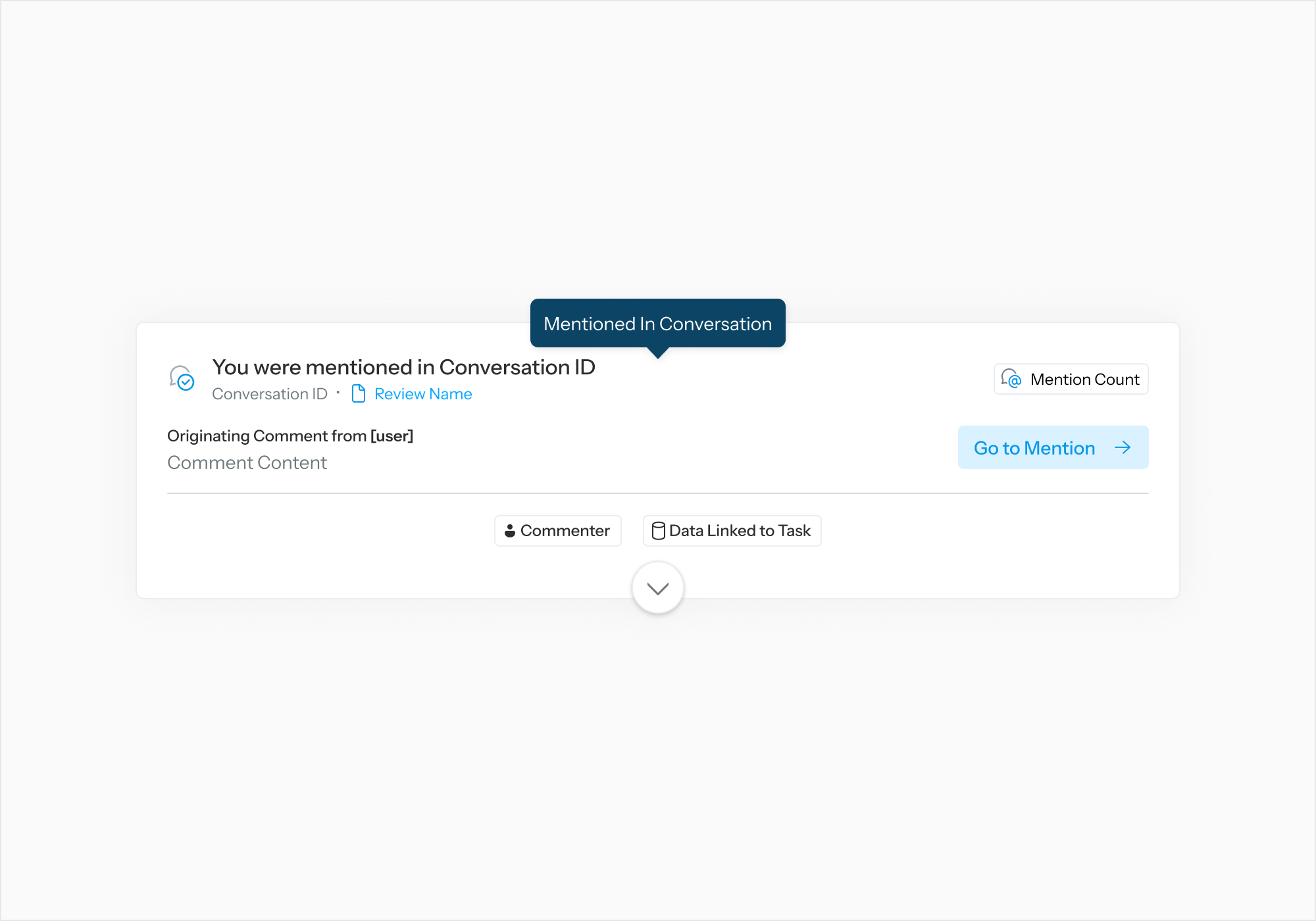
Mention Task Card
-
Title: Indicates a mention in a conversation
-
Conversation ID: Unique identifier for the conversation
-
Review Name (link): Clickable link to the associated review
-
Originating Comment: Displays the user who made the comment and the comment content
-
Badges
-
Mention Count – Shows how many times the user was mentioned
-
Commenter – Shows who made the comment
-
Data Linked to Task – Indicates associated data
-
-
Timestamp: Indicates when the mention occurred
-
Go to Mention: Action button to navigate to the mention